
Smart homes are only as good as their automations. When routines trigger at exactly the right moment—lights adjusting automatically, fans responding to humidity, or alerts firing before damage happens—you stop thinking about the tech and simply enjoy the convenience.
The latest Google Home update brings more automation controls, adding deeper triggers, smarter conditions, and more precise actions inside Google Home. The result: routines that feel less scripted and more intelligent.
From humidity-based starters to device status checks and smarter lighting control, this update meaningfully expands what users can automate across the Google smart home ecosystem.
If you already use automations daily, this release unlocks noticeably more flexibility. If you’re new, it removes several long-standing limitations that previously required workarounds.
Why This Google Home Update Matters
Home automation often fails for one reason: triggers are too basic.
Until recently, routines mostly depended on:
- Time of day
- Location presence
- Manual voice commands
That’s useful—but not context-aware.
Now, automations can react to environmental data, device health, and physical interactions, which brings them closer to “set and forget” intelligence.
What’s new at a glance:
- Humidity-based starters
- Device and battery status conditions
- Button and switch press triggers
- Open/close and leak detection events
- Lighting color and temperature actions
- Security camera playback fixes
New Starters in the Google Home Update
Humidity-Based Automation Starters
Humidity triggers are a practical addition for comfort and home protection.
You can now run routines when indoor humidity crosses a set threshold.
Real-world examples
- Turn on a dehumidifier when humidity rises above 65%
- Start the bathroom exhaust fan after showers
- Shut devices off once levels normalize
- Send alerts when moisture spikes unexpectedly
Why it matters
High humidity causes:
- Mold growth
- Condensation damage
- Poor air quality
Before this update, these required third-party hubs or complicated integrations. Now it’s native.
For anyone living in humid climates or managing basements and bathrooms, this is immediately useful.
Device & Status-Based Conditions
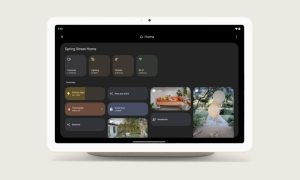
This section is where the update really shines.
Automations can now react to device behavior and health.
Newly supported triggers include:
- Robot vacuum docks or undocks
- Battery charging or low
- Button press (single, double, multi, long press)
- Switch state changes
Practical automations you can build
- Turn lights on when the robot vacuum finishes cleaning
- Send notification when a camera battery is low
- Start bedtime routine with a single button press
- Trigger “Away Mode” using a long-press switch
Experience insight
Button-based triggers feel surprisingly powerful. Instead of shouting a voice command, a quick press can activate complex scenes instantly.
It makes smart homes feel more tactile and less dependent on voice assistants.
Binary Sensor & Safety Triggers
Safety-focused automations are often overlooked—but they deliver the highest real value.
Google Home now supports binary state detection:
- Open / closed
- Contact detected
- Leak detected
- Freezing conditions
What you can automate
- Alert if a window is left open at night
- Shut off valves if a leak sensor triggers
- Turn on heating if freezing temps are detected
- Send notifications when doors open unexpectedly
This brings Google Home closer to dedicated security systems, without extra hardware complexity.
New Smart Lighting Actions
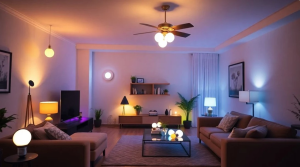
You can now directly set:
- Specific colors
- Exact color temperatures
- Context-aware scenes
Examples
- Cool white in the morning for focus
- Neutral daylight during work hours
- Warm amber in the evening
- Soft red night lights after midnight
Why this is important
Previously, many users relied on presets or external apps. Native support reduces friction and improves reliability.
Lighting is one of the most noticeable parts of any smart home, so this small change feels big in daily life.
Bug Fix: Security Camera Playback
A quieter but important improvement addresses a frustrating issue.
Users sometimes saw “Video not available” when opening recent security footage.
This update fixes playback reliability when:
- Opening from notifications
- Tapping recent events inside the app
For anyone relying on cameras for monitoring or deliveries, this stability improvement matters more than flashy features.
Feature Summary
| Feature | What It Does | Practical Benefit |
|---|---|---|
| Humidity starters | Trigger by moisture level | Prevent mold & discomfort |
| Device status triggers | React to dock/battery/charging | Smarter device flows |
| Button presses | Physical control | Faster, silent routines |
| Binary sensors | Open/close/leak alerts | Better safety |
| Lighting actions | Color & temperature control | Improved ambiance |
| Camera fixes | Stable playback | Reliable security |
Pros and Limitations
Pros
✔ More precise automation logic
✔ Better safety and environmental awareness
✔ Reduced need for third-party tools
✔ Faster physical controls via buttons
✔ Improved app reliability
Limitations
✖ Requires compatible sensors/devices
✖ Complex routines may need setup time
✖ Some features rolling out gradually by region
No smart home system is perfect, but this update closes several long-standing gaps.
How to Start Using These New Controls
Inside the Google Home app:
- Open Automations
- Tap Add routine
- Choose Starter
- Select new conditions (humidity, device state, button, etc.)
- Add actions
- Test once before relying on it
Tip: Start small. Build one automation at a time, then layer complexity.
Final Takeaways
This Google Home update brings more automation controls that move routines from simple timers to truly contextual smart behavior.
The biggest wins are:
- Environmental awareness
- Device intelligence
- Physical control
- Safety automation
If you’ve ever felt your smart home wasn’t quite “smart enough,” this release likely fixes that.
Small triggers → smarter actions → less daily friction.
And that’s exactly what home automation should do.
FAQs
What new starters are included in the Google Home update?
Humidity thresholds, device status, button presses, open/close sensors, leak detection, and more.
Can Google Home automations run based on humidity?
Yes. You can trigger routines when humidity rises or falls past a set level.
Do I need new hardware?
Only if you want sensor-based features like humidity or leak detection. Existing devices still work.
Can I change light color automatically now?
Yes. You can set specific colors or temperatures inside routines.
Does this update improve reliability?
Yes. Camera playback bugs have been fixed, reducing “Video not available” errors.
Also Read : Google Restores Portrait Mode Control in Phone App, Fixing Unwanted Screen Rotation During Calls