
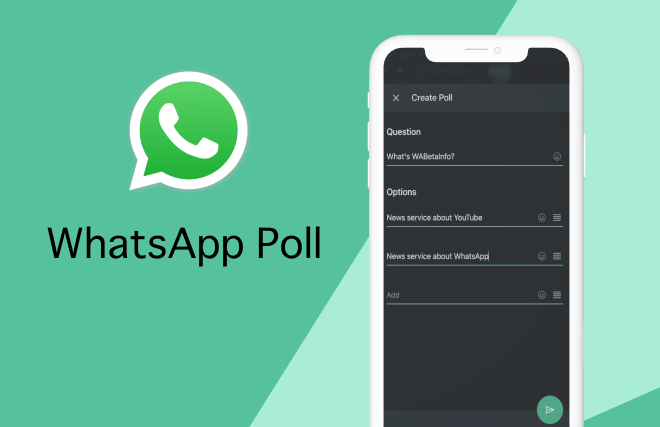
A detailed tutorial on generating and managing #WhatsApp polls #Channel Polls for #iOS Device, #Android device, and #FAQs #channel.
WhatsApp polls provide an easy approach to gather feedback, expedite decision-making, and improve communication in both personal and business situations. This feature allows users to construct questions with numerous response possibilities straight within a conversation. The tool has proven crucial for planning events, gathering feedback, and performing fast surveys. Whether you’re organising a group activity or seeking feedback on a critical problem, WhatsApp polls make the process easier and more involved for participants. So, if you want to know how to build WhatsApp polls, you’ve come to the perfect spot. In this post, we will go over WhatsApp polls in depth, including how to make them, how to view them, and more. So without further ado, let us get started.
#FAQs on how to use #WhatsApp polls, including tips for effective engagement in your #channel.
In this guide, we will cover the essentials of using #WhatsApp polls in your #Channel Polls, ensuring that you understand how to effectively engage with your audience on both #iOS Device and #Android device platforms. #FAQs will also be addressed to help you optimize your polling experience.
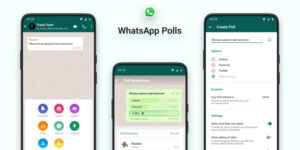
What is WhatsApp Poll?
A WhatsApp poll is a tool that lets users ask a question with many answers in a conversation or group. Participants can choose their favourite option(s) and see the results in real time. Users may construct polls with up to 12 items with the ability to activate or disable multiple replies.
How to Create Polls on WhatsApp?
Creating polls on WhatsApp is quite easy. Here’s how to make a #WhatsApp poll using your #iOS Device or #Android device.
Android or iOS device:
For Android devices:
- Open the chat you want to create a poll in.
- Tap the attachment icon (paperclip symbol).
- Select “Poll” from the options.
- Enter your question under “Question”.
- Add up to 12 answer choices under “Options”.
- Rearrange the options by holding and sliding them up or down.
- Toggle off “Allow Multiple Answers” if only one response is required.
- Tap “Send” to post the poll.
For iOS Devices:
- Open the relevant chat.
- Tap the “+” icon near the message box.
- Choose “Poll”.
- Input your questions and options.
- Adjust the order by dragging them as needed.
- Toggle off multiple answers if only a single response is needed.
- Press “Send” to share the poll.
How Do I Respond to Polls on WhatsApp?
Voting in WhatsApp polls is straightforward and takes little time, unless you are undecided. Here’s how.
- Open the chat containing the poll.
- Tap on your selected option(s).
- To change your vote, tap a different option. Or if you want to cancel the vote, then double tap on the same option.
- Votes are recorded instantly and results are updated in real-time.
How can I view polls on WhatsApp?
Here’s how you can monitor the progress and results of a poll:
- Open WhatsApp on your Android or iOS device.
- Open the chat with the poll.
- Locate the poll and tap “View Votes”.
- You can see the results along with details of individual responses.
How to Delete Polls on WhatsApp?
To remove a poll, simply follow these steps:
- Open the chat with the poll to be removed.
- Tap the down arrow in the top-right corner of the poll.
- Select the “Delete” option.
- Choose between “Delete for Everyone” or “Delete for Me”.
With this, your WhatsApp poll will be removed immediately.
How to Create Channel Polls on WhatsApp?
WhatsApp has now added the possibility to create polls in Channels. Here’s how you can do it:
- Navigate to your WhatsApp channel.
- Tap the “Create Poll” button.
- Input the question and answer options.
- Publish the poll to your channel for followers to participate.
How to View Channel Polls on WhatsApp?
Channel poll results can be tracked using the following steps:
- Open your WhatsApp channel.
- Tap on the poll in question.
- Access the results and analyse audience responses.
Frequently Asked Questions (FAQs)
What is the use of WhatsApp polls?
WhatsApp polls are used to efficiently gather views, make choices, and receive feedback. They are commonly used in personal and business settings. There are several uses, ranging from picking on vacation places with pals to getting opinion on workplace efforts.
Who can see WhatsApp poll results?
Poll results are accessible to all members of the chat, group, or channel where the poll was made.
What is the limit of the WhatsApp poll?
There can be up to 12 options in each poll, and each option has a character limit of 100### s.
Do WhatsApp polls expire?
Polls do not have an expiration date, but the creator can delete them at any moment.
Can a WhatsApp poll be edited?
Once posted, a poll cannot be changed. One must build a new poll with changes.
Are WhatsApp polls anonymous?
WhatsApp polls aren’t anonymous. Everyone in the chat or group may see the participants’ names and selections.